- Agotado, llame
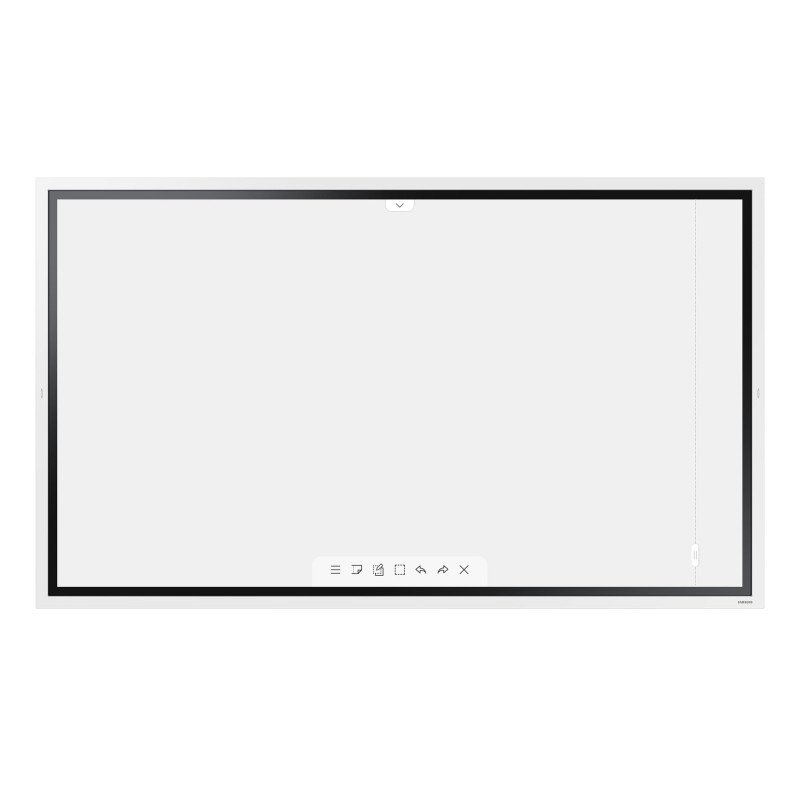


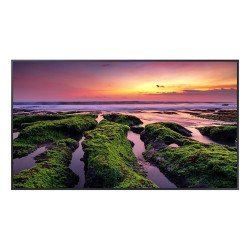
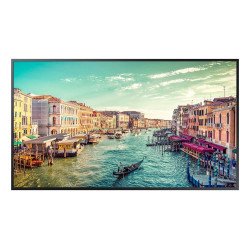
Samsung WM65R, Pantalla plana para señalización digital, 165,1 cm (65"), LED, 3840 x 2160 Pixeles, Wifi
Draw, write & inspire new ideas
Pen mode notation
Samsung Flip provides users with a smooth and familiar pen to paper writing experience in a variety of available colors, styles and widths. Up to 4 people can write simultaneously, using any object as a writing tool. In addition, users can quickly erase the drawings with finger or palm swipe.
Creating a masterpiece
Brush mode notation
On brush mode, Samsung Flip recognizes a wide range of thicknesses, ensuring users can create art at the stroke of a brush. Water and oil painting modes allow different styles and textures, while the Flip also gives users a full, vibrant color palette, even allowing flexible color mixing.
Write on any background
Annotation on
Samsung Flip allows users to write on any background source. By simply clicking the note layer button, users can enjoy smooth writing anytime, anywhere on any content displayed, without affecting any work behind the original layer.
Flexible image editing
Selection tool & Merge to roll
Bringing versatility to the board. With Samsung Flip, users can quickly and easily select, move, crop, capture, and edit any images. Each Image can also be merged to the roll with just one click of a button, allowing it to be edited or erased.
Suitable for all business needs
Various form options
Samsung Flip can be used for a wide range of business applications, providing embedded versatile templates. You can use the Flip as a calendar, scheduler, note or checklist board. Samsung Flip perfectly matches any business need, enabling users to utilize the display in various customized ways.
Easy content navigation & protection
Scroll & Lock
Samsung Flip has up to 20 pages of writing space per roll, allowing users to seamlessly scroll through pages. In addition, the Flip ensures that confidential meeting information remains in the right hands. Its reinforced lock system allows users to safeguard sensitive content from view.
Multiple connection options
Versatile connection
Users are empowered by the Flip’s versatile connection options. USB, HDMI, NFC and screen sharing capabilities enable optimum collaboration and provide interactive content visibility, notation and sharing. The Flip also offers an optional tray as a more powerful connectivity extension.
Synchronized screen viewing
Touch out
The touch out functionality allows users to sync their personal devices with the Samsung Flip, allowing real-time content sharing and control. Any changes made on the Flip display will be mirrored on the connected device, and vice versa, for efficient collaboration.
Connect from anywhere
Remote PC & Bluetooth support
The Samsung Flip allows users to connect their PC to the board remotely, meaning any meeting can be started without a PC to avoid delays and ensure efficiency. A Bluetooth keyboard, mouse and speaker can also be connected to the Flip, creating a convenient meeting environment.
Large audience sharing
Screen share
Users can project content on Samsung Flip to another large digital display in real time, using Wi-Fi network or HDMI out connection. Even connected to a personal device, the Flip display can be shared. This feature is ideal for large meeting environments, delivering information to bigger audiences.
Effortless meeting recap distribution
Easy sharing
Following any meeting, users can distribute recaps to all attendees and colleagues, removing the frustration traditionally associated with handwritten meeting notes. Important conversations and content are stored within the Flip in real-time, easily shareable across mobile and digital channels.
Precise visuals with powerful operation
UHD display & Tizen OS
Samsung Flip displays all content in clear UHD picture quality, regardless of the room, creating a compelling meeting environment. Backed by the powerful Tizen 5.0 operating system for a seamless user experience, embedded sensors automatically activate the display when the screen is knocked.
Convenient, optimized management
Advanced convenience
Samsung Flip offers a host of improved capabilities, including secure wireless connection, automatic firmware updates, LDAP synchronization, file security and remote management – ensuring a convenient and productive meeting experience.
Samsung WM65R. Diseño de producto: Pantalla plana para señalización digital. Diagonal de la pantalla: 165,1 cm (65"), Tecnología de visualización: LED, Resolución de la pantalla: 3840 x 2160 Pixeles, Brillo de pantalla: 350 cd / m², Tipo HD: 4K Ultra HD, Pantalla táctil. Wifi. Color del producto: Blanco
| Diagonal de la pantalla | 165,1 cm (65") |
| Tecnología de visualización | LED |
| Resolución de la pantalla | 3840 x 2160 Pixeles |
| Brillo de pantalla | 350 cd / m² |
| Tipo HD | 4K Ultra HD |
| Pantalla táctil | Si |
| Tiempo de respuesta | 8 ms |
| Razón de contraste (típica) | 4000:1 |
| Ángulo de visión, horizontal | 178° |
| Ángulo de visión, vertical | 178° |
| Tamaño de pixel | 0,372 x 0,372 mm |
| Intervalo de escaneado horizontal | 30 - 81 kHz |
| Intervalo de escaneado vertical | 48 - 75 Hz |
| Número de puertos HDMI | 2 |
| Puerto USB | Si |
| Ethernet | Si |
| Wifi | Si |
| Cantidad de puertos USB | 1 |
| Ethernet LAN (RJ-45) cantidad de puertos | 1 |
| RS-232 | Si |
| Altavoces incorporados | Si |
| Diseño de producto | Pantalla plana para señalización digital |
| Color del producto | Blanco |
| Colocación soportada | Interior |
| montaje VESA | Si |
| Orientación | Horizontal/Vertical |
| Interfaz de panel de montaje | 400 x 400 mm |
| Utilizar con | Universal |
| Consumo energético | 181,5 W |
| Consumo de energía (inactivo) | 0,5 W |
| Voltaje de entrada AC | 100 - 240 V |
| Frecuencia de entrada AC | 50-60 Hz |
| Ancho | 1522,4 mm |
| Profundidad | 62,9 mm |
| Altura | 897,6 mm |
| Peso | 4 kg |
| Ancho del paquete | 1691 mm |
| Profundidad del paquete | 198 mm |
| Altura del paquete | 1055 mm |
| Peso del paquete | 50,6 kg |
| Mando a distancia incluido | Si |
| Pluma stylus | Si |
| Cables incluidos | Corriente alterna |
| Intervalo de temperatura operativa | 0 - 40 °C |
| Intervalo de humedad relativa para funcionamiento | 10 - 80% |
| Guía de configuración rápida | Si |
Ficha técnica
Referencias Específicas
También podría gustarle
Samsung WM65R, Pantalla plana para señalización digital, 165,1 cm (65"), LED, 3840 x 2160 Pixeles, Wifi